
Checks fleet, qual and rest
A Qual 4 covers Qual 3 events, never evaluator ones. A PRD5 day before a PRD1 is turned down.
Swap check, Nov 20
- Same fleet: B787
- Both instructors
- Qual 4 covers FFS 6
- No PRD5 before a PRD1
- Same bid period
Upload your bid award and Tradewinds lists the coworkers who can legally take your day: same fleet, a qual that covers it, rest rules checked.
Free during the pilot, then $4.99 a month for founding members.
Save the award PDF from your phone and upload it. Tradewinds reads the event list and keeps the schedule, not the file.
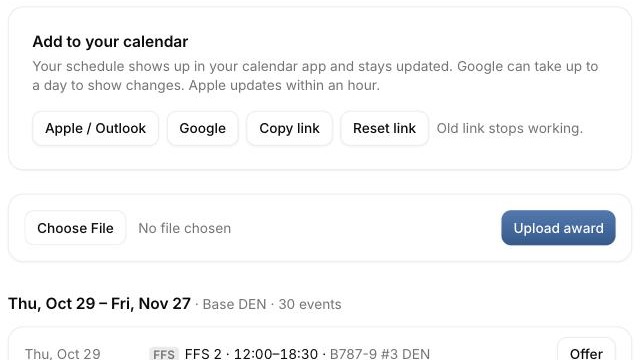
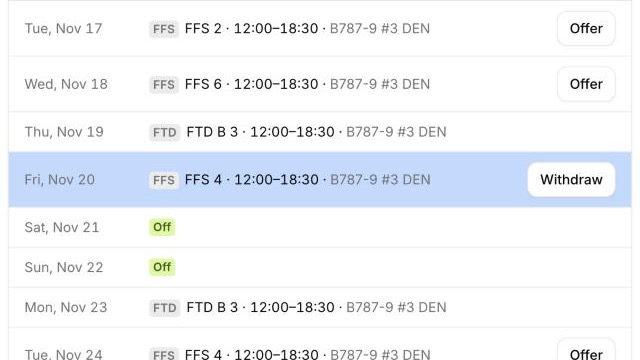
Tap Offer on a sim day. The row turns blue and coworkers who need that day can see it.
Pick someone from the list of people who can legally take it. Only that person gets an email.
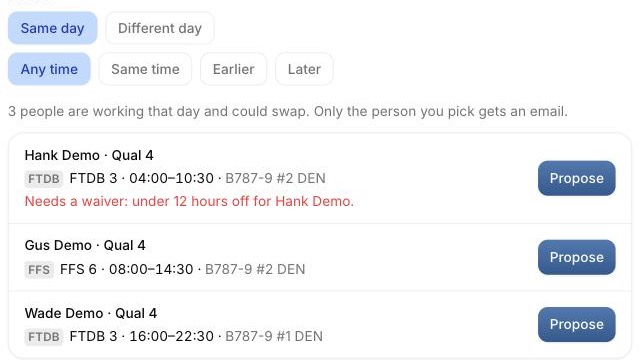
A Qual 4 covers Qual 3 events, never evaluator ones. A PRD5 day before a PRD1 is turned down.
The subject holds the whole ask, both dates and events, so it reads from the lock screen.
One private link for Apple Calendar, Google Calendar or Outlook. Apple picks up changes within an hour.
Both sides' dates and events in the official form's order, ready to copy. You still submit the form yourself.
Free while the pilot runs. Billing starts later, monthly, cancel any time.
Every member can upload awards, offer days, send and accept requests and sync a calendar.
Read the questionsFor anyone who joins in the first three months
$4.99 a month
For anyone who joins after the first three months
$9.99 a month
The ones instructors asked before the pilot.
No. You save your award PDF and upload it here, and you submit the official trade form yourself, as you do today.
Other members, so the app can find swaps. It keeps the schedule it reads from the PDF, never the file or your seniority.
Upload the new one and it replaces that period. Trades made outside Tradewinds only show once you do.
Only HFPD events. Everything else stays in your fleet, and instructors and evaluators never swap with each other.
Yes, in Safari on iPad and iPhone and in any browser on a computer. Add it to your Home Screen to open it in one tap.